
Setting Up 2FA on OKX: Don’t Skip This Crucial Security Step!
When it comes to crypto trading, the first rule is security before profit. No matter how skilled you are at reading charts or predicting price action, all your gains mean nothing if your account gets hacked. That’s why setting up Two-Factor Authentication (2FA) on OKX isn’t optional — it’s essential. Let’s break down exactly what 2FA is, why it’s so powerful, and how to enable it step-by-step to lock down your funds for good.
🔐 What Is 2FA and Why It Matters So Much
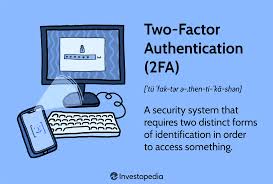
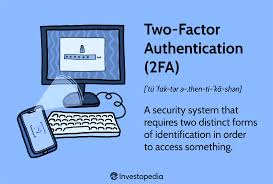
2FA (Two-Factor Authentication) adds a second layer of protection to your OKX account beyond your password. Instead of relying only on something you know (your password), it adds something you have (like your phone or an app-generated code).
Here’s why that’s powerful:
- Even if a hacker steals your password, they still can’t access your account without the second code.
- 2FA codes change every 30 seconds, making them nearly impossible to guess or reuse.
- It protects login attempts, withdrawals, and major account changes — all of which are common attack points.
Without 2FA, your account is like a house with a lock but no deadbolt. With 2FA, it’s like adding a biometric scanner and alarm system.
⚙️ Step-by-Step: How to Set Up 2FA on OKX
Setting up 2FA on OKX takes just a few minutes, but it massively increases your account security. Follow these exact steps:
1. Log in to your OKX account
Head to OKX.com and sign in. Once you’re in, click your profile icon (top right corner) and go to “Security Settings.”
2. Locate the 2FA section
Scroll down to find “Two-Factor Authentication.” You’ll see multiple options, including:
- Google Authenticator (App-based 2FA)
- SMS Verification
The most secure choice is Google Authenticator or Authy, not SMS, because SMS can be intercepted through SIM swaps or phishing attacks.
3. Download a 2FA app
If you don’t have one already:
- On Android: Download Google Authenticator or Authy from the Play Store.
- On iPhone: Get it from the App Store.
4. Scan the QR code
On your OKX screen, click “Enable” next to Google Authenticator. You’ll see a QR code and a backup key.
👉 Important: Write down or securely store your backup key offline (like in a notebook or password manager).
If you lose your phone and don’t have this key, recovering access to your OKX account will be very difficult.
Open your Authenticator app → tap “+” → “Scan QR Code” → point your camera at the OKX QR code.
5. Enter the verification code
Once scanned, the app will generate a 6-digit code that changes every 30 seconds. Enter that code on OKX to confirm setup.
6. Confirm via email or SMS (if required)
OKX may ask for a secondary verification (like an email or SMS code) just to confirm it’s really you. Enter the code and finalize the process.
That’s it — your 2FA is active!
🔄 When 2FA Protects You on OKX
2FA isn’t just for login protection. On OKX, it guards multiple critical actions:
- Logging into your account from a new device or browser
- Withdrawing crypto to external wallets
- Changing passwords or email addresses
- Accessing API keys or sub-accounts
Every time one of these actions occurs, OKX will prompt for your 2FA code. It’s an extra 5 seconds of effort for you but a massive barrier for hackers.
🚨 Common Mistakes to Avoid
Even experienced traders sometimes make security mistakes. Here’s what not to do:
- ❌ Using only SMS 2FA: SIM swap attacks are real — always prefer app-based 2FA.
- ❌ Storing backup codes online: Keep them offline or in a secure password manager.
- ❌ Ignoring 2FA for withdrawals: Make sure withdrawal confirmation requires 2FA; don’t turn it off for convenience.
- ❌ Using the same phone for trading and storing 2FA: If your device gets infected, both layers are compromised. Consider using a separate phone for 2FA if you trade large volumes.
🧠 Pro Tip: Add Extra Layers of Security
If you want maximum protection, combine 2FA with these advanced security features on OKX:
- Anti-phishing codes: Customize your OKX emails so you can spot fake messages easily.
- Withdrawal whitelist: Only allow withdrawals to pre-approved wallet addresses.
- Device management: Review and remove unrecognized devices regularly.
- Login password rotation: Change your password every few months and never reuse it.
💬 Final Thoughts: 2FA Is Your First Line of Defense
In crypto, there’s no “forgot password” safety net for lost coins. Once your assets are stolen, they’re gone. Setting up 2FA on OKX is the simplest yet most powerful way to protect your funds, identity, and trading progress.